
How to Improve Food Photos Online with AI for Menus and Delivery
Turn a simple phone shot into a cleaner, brighter, more professional food image for menus, delivery apps, websites, and social media.
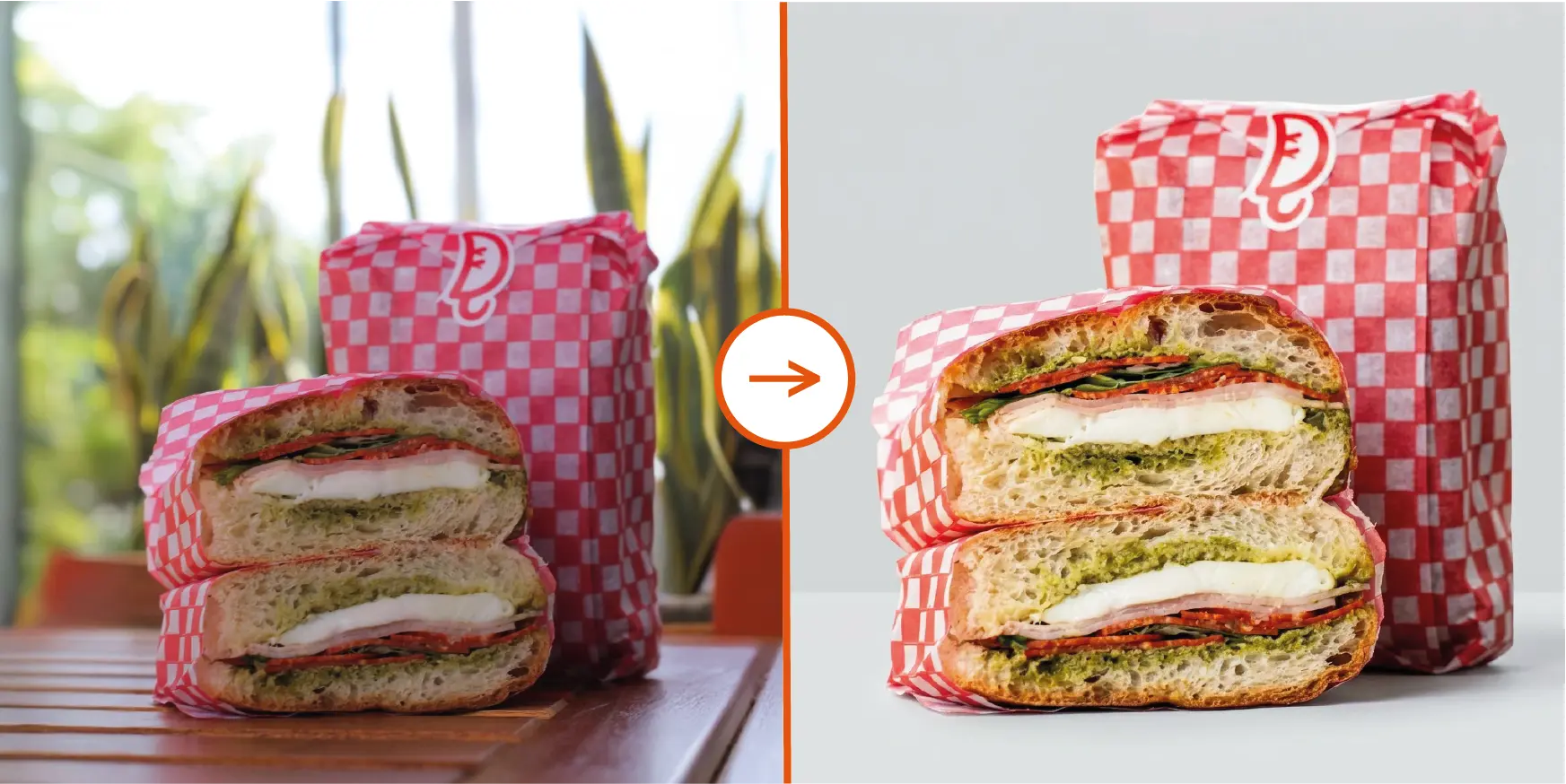
Quick Answer
If you want to improve food photos online automatically, start with a simple smartphone picture and upload it to an AI food photo enhancer. The AI can fix lighting, improve colors, clean the scene, sharpen details, and create a more polished result in seconds.
People decide with their eyes before they ever taste your food. On a restaurant website, inside Uber Eats or DoorDash, on Google Maps, or while scrolling Instagram, the image often makes the first sale.
That is why search intent around terms like improve food photos online, food photo enhancer, and AI food photo editor is so strong. Restaurant owners, food creators, and marketers want a faster and easier way to make real dishes look professional.
AI changes the workflow completely. Instead of planning a full photoshoot and retouching every image manually, you can upload one food photo and improve it automatically.
Why Better Food Photos Matter
Better photos increase clicks and trust
When a dish looks appetizing and polished, customers are more likely to click, stay longer, and feel confident ordering from you.
Good visuals support premium positioning
Professional-looking food photos make the brand feel more serious, more consistent, and more worth the price.
Why phone food photos often look disappointing
Smartphone cameras are convenient, but food is difficult to photograph well. A dish that looks great in person can appear flat, dark, messy, or unappetizing on screen.
- Bad lighting makes the food look dull or yellow.
- Background clutter distracts from the dish.
- Weak contrast hides texture and freshness.
- Wide-angle lenses can distort the plate.
- Small crumbs or grease marks make the image feel careless.
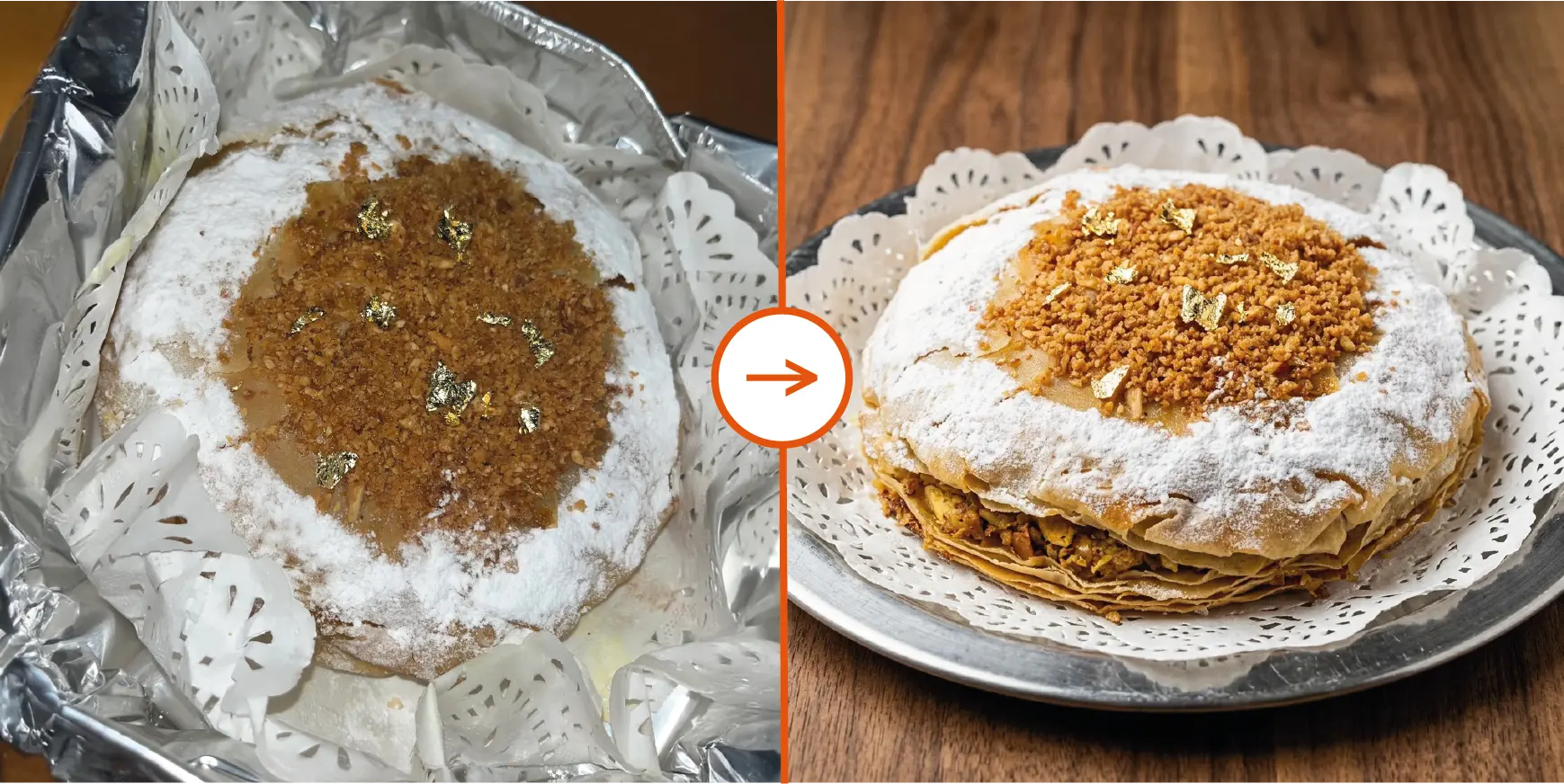
How to Improve Food Photos with AI
The best workflow is simple. You do not need editing skills, complicated prompts, or hours inside Photoshop. You need a clear original image and a tool built specifically for food.
1. Start with a simple photo
Use a smartphone shot where the dish is visible and reasonably in focus. You do not need studio lighting to get strong results.
2. Let AI enhance it automatically
A good AI food photo editor can relight the dish, improve colors, clean the background, sharpen the image, and make the final result look more intentional.
3. Export it everywhere
Once enhanced, the image is ready for menus, delivery apps, Google Business Profile, websites, ads, and social media.
Simple tips for better results
- Photograph one main dish at a time.
- Keep the plate visible and avoid heavy blur.
- Use real portions that match what customers receive.
- Try a few angles and enhance the strongest one.
- Keep a consistent visual style across your menu.
Where AI-Enhanced Food Photos Make the Biggest Difference
Restaurant menus and menu boards
Better menu photos help customers choose faster and understand your offer more clearly.
Delivery apps
On Uber Eats, DoorDash, Deliveroo, and similar platforms, stronger visuals make your listing feel more appetizing and more reliable at a glance.
Social media and ads
AI helps you create polished content faster, without waiting for a dedicated production day every time.
Google Business Profile and Maps
Owner-provided photos often shape the first impression people have before visiting or ordering.
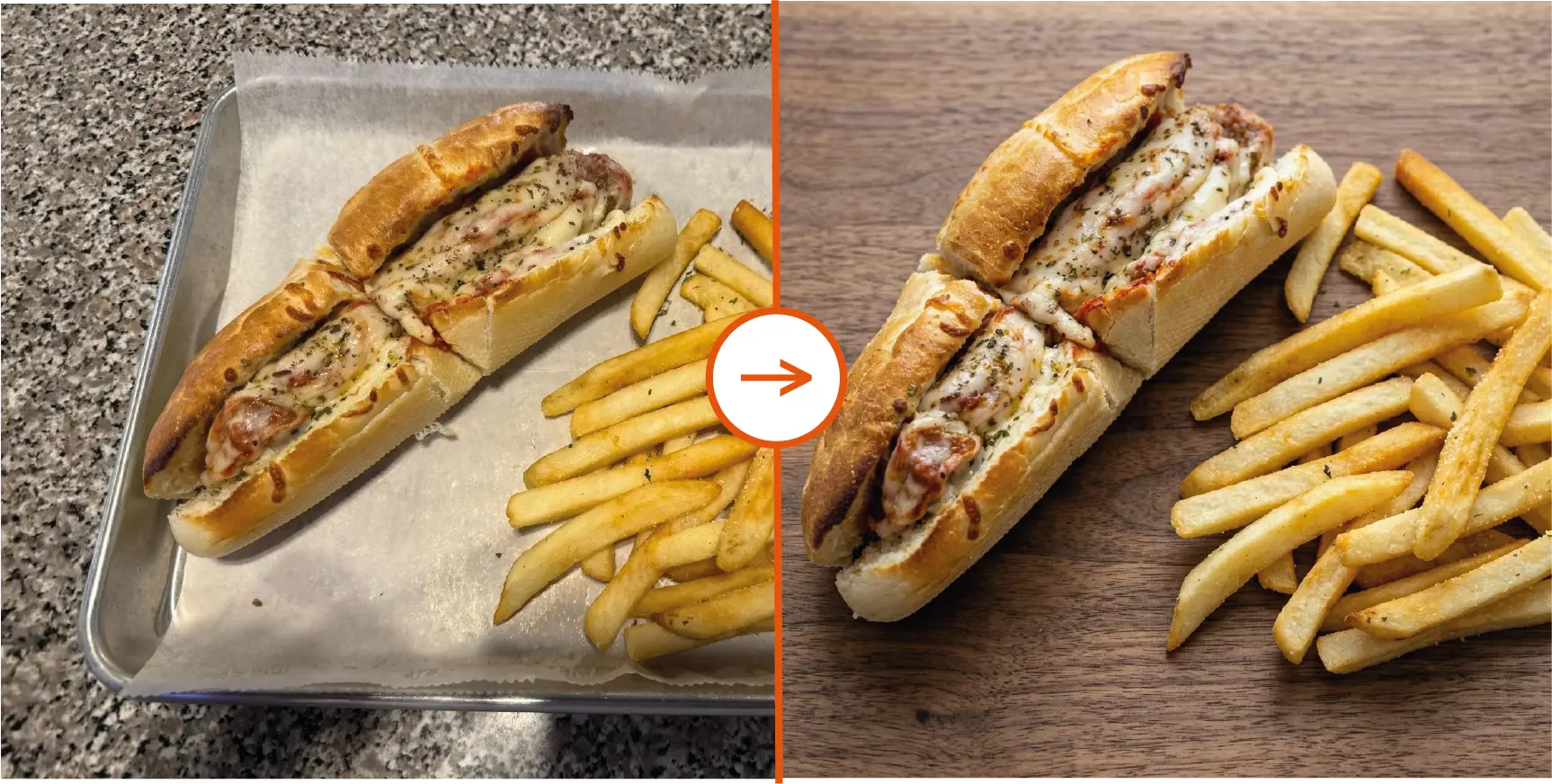
Frequently Asked Questions About Improving Food Photos with AI
Can AI improve dark or messy food photos?
Yes. A good AI food photo enhancer can relight the dish, clean distractions, improve color balance, and make the image look more professional.
What kind of original photo works best?
A clear smartphone photo with the dish visible and reasonably in focus is enough for strong results. You do not need a studio shot.
Can I use AI-enhanced food photos for menus and delivery apps?
Yes. AI-enhanced images are ideal for menus, delivery platforms, websites, social media, and Google Business Profile because they look more consistent and appetizing.
Why use AI instead of editing manually?
Manual editing takes time and design skill. AI is faster because it automates lighting, cleanup, color correction, sharpening, and visual polish in one workflow.
Turn Everyday Food Photos Into High-Converting Visuals
If you have been looking for the easiest way to improve food photos online automatically, AI is now the most practical answer.
AI Food Photo is built for exactly that use case: take a real food image, upgrade it into a cleaner and more compelling visual, and use it where better imagery leads to more attention and more orders.
Ready to enhance your own food photos?
Upload a simple picture and turn it into a professional food photo in seconds.